How to Check Jazz Package Status on Your SIM – Balance, MBs & Minutes

Have you ever been in the middle of watching a video or downloading a file when suddenly your internet stops working? Or maybe you tried to make an important call, but your balance ran out?
This happens to thousands of Jazz users every single day. The good news is that you can easily check Jazz package status before running out of balance, MBs, or minutes.
In this complete guide, I’ll show you exactly how to check Jazz package status using multiple free methods. Whether you want to check remaining MBs on Jazz prepaid, verify your call minutes, or see your SMS balance, you’ll find everything you need right here.
Quick Answer: How to Check Jazz Package Status
The fastest way to check Jazz package status is by dialing *443# from your Jazz number. This USSD code instantly shows your active packages on Jazz, remaining data, call minutes, and SMS balance – all completely free!
Other Quick Methods:
- Send SMS “INFO” to 3838
- Use Jazz World App (Most detailed)
- Call Jazz helpline 111
- Visit jazz.com.pk website
Why You Need to Check Jazz Package Status Regularly
Before I show you how to check Jazz packages, let me explain why this is so important. Many Jazz users waste money by subscribing to multiple packages without knowing. Some packages overlap, and you might be paying twice for the same service.
When you regularly check your Jazz package status, you can:
- Avoid running out of internet data unexpectedly
- Track your package validity and expiry date
- Prevent automatic renewals you don’t want
- Save money by canceling unused packages
- Know exactly what package you have in Jazz
- Monitor your remaining incentives daily
- Plan your usage better throughout the month
One of my friends kept subscribing to new packages without checking his currently active package. He ended up paying for three internet packages at the same time! Don’t make this mistake.

Method 1: Check Jazz Package Status via USSD Code (Fastest Method)
The USSD code method is my personal favorite because it’s super fast and works on all phones. You don’t need internet, and it’s completely free. This is the best way to check Jazz package status for free.
Step-by-Step Guide to Use USSD Codes
Step 1: Open your phone’s dialer (the app you use to make calls)
Step 2: Type the code based on what you want to check
Step 3: Press the call button
Step 4: Wait 2-3 seconds for the response
Step 5: Read the information displayed on your screen
Complete List of Jazz Package Check Codes
Here are all the Jazz package check codes you need to know:
| What to Check | USSD Code | Information Displayed |
|---|---|---|
| All Active Packages | *443# | Complete package status |
| Internet Data (MBs) | *117*1# | Remaining MBs and expiry |
| Balance & Validity | *111# | Main balance and validity |
| Call Minutes Status | *443*1# | Remaining call minutes |
| SMS Balance | *443*2# | Remaining SMS count |
| Social Package Status | *117*4# | WhatsApp, Facebook data |
| Daily Package Status | *117*11# | Daily bundle details |
| Weekly Package Status | *117*21# | Weekly bundle details |
| Monthly Package Status | *117*30# | Monthly bundle details |
Understanding the Response Message
When you dial *443# to check your Jazz package status, you’ll receive a message showing:
- Package name: Which bundle you’re using
- Remaining data: How many MBs are left
- Call minutes: Available minutes for calls
- SMS balance: Number of SMS remaining
- Expiry date: When your package ends
- Subscription cost: How much you paid
This gives you complete information about your Jazz SIM status in seconds.
Method 2: Check Jazz Package Status Using Jazz World App (Most Detailed)
The Jazz World App is the most comprehensive way to check Jazz packages. It shows detailed information that USSD codes can’t display. If you want to see your usage history, package details, and even subscribe to new offers, this app is perfect.
How to Download and Install Jazz World App
For Android Users:
- Open Google Play Store on your phone
- Search for “Jazz World”
- Click on the official app (by Jazz Pakistan)
- Tap “Install” and wait for download
- Open the app once installed
For iPhone Users:
- Open Apple App Store
- Search for “Jazz World”
- Download the official Jazz app
- Install and open the app
Complete Guide to Check Package Status on Jazz World App
Step 1: Open and Login
- Launch the Jazz World App on your phone
- The app will automatically detect your Jazz prepaid balance
- No password needed if using Jazz internet
Step 2: Navigate to My Account
- Look at the bottom menu
- Tap on “My Account” icon
- This opens your complete account dashboard
Step 3: View Package Status
- You’ll immediately see your active packages
- Scroll down to see remaining data
- Check call minutes and SMS balance
- View expiry date for each package
Step 4: Check Detailed Usage
- Tap on any package to see more details
- View daily usage graphs
- See remaining incentives breakdown
- Check when each package was activated
What Makes Jazz World App Special
The Jazz World App shows information that other methods to verify your status can’t provide:
- Usage graphs: See how much data you use daily
- Package history: View all your past subscriptions
- Bill details: For postpaid users, check your bill
- Recommendations: Get package suggestions based on usage
- One-tap subscription: Subscribe to new offers easily
- Customer support: Chat with support directly
Many users don’t know that the app also helps you check Jazz postpaid packages if you’re a postpaid customer.
Method 3: Check Jazz Package Status via SMS (No Balance Needed)
This method is perfect when you have zero balance. Some USSD codes require a small balance, but SMS works even when you’re completely out of credit.
How to Check Packages Using SMS
Step 1: Open your messaging app
Step 2: Create a new message
Step 3: Type “INFO” in the message body
Step 4: Send it to 3838
Step 5: Wait 30 seconds to 1 minute
Step 6: You’ll receive a detailed SMS showing all your active packages on Jazz
What Information You’ll Receive
The SMS response includes:
- Current data bundles status
- Available call minutes
- SMS balance remaining
- Package validity dates
- Total main balance
This is one of the best ways to check your status when other methods don’t work.
Method 4: Check Jazz Package Status by Calling Helpline 111
Sometimes you need human help to understand your package status. That’s when calling Jazz helpline 111 becomes useful.
How to Contact Jazz Customer Support
Step 1: Dial 111 from your Jazz number (it’s free)
Step 2: Listen to the automated menu
Step 3: Press 1 for “Package Information”
Step 4: Wait for a customer representative
Step 5: Ask them to check your Jazz package status
Step 6: They’ll tell you everything about your packages
What Questions to Ask
When you call, ask these specific questions:
- “What is my package that’s currently active?”
- “How can I check my remaining MBs?”
- “What’s my package validity date?”
- “Am I subscribed to multiple packages?”
- “How do I know if any package will auto-renew?”
The customer service team can also help you unsubscribe from unwanted packages.
Method 5: Check Jazz Package Status on Official Website
If you prefer using a computer or want to manage packages from your laptop, the official Jazz website works perfectly.
Step-by-Step Website Method
Step 1: Open your web browser (Chrome, Firefox, Safari)
Step 2: Go to www.jazz.com.pk
Step 3: Look for “My Jazz” section at the top
Step 4: Click on “Login” or “Sign In”
Step 5: Enter your Jazz mobile number
Step 6: You’ll receive an OTP (One-Time Password)
Step 7: Enter the OTP to login
Step 8: Navigate to “My Packages” section
Step 9: View all your subscribed packages and status
This method is excellent for managing Jazz postpaid packages and paying bills online.
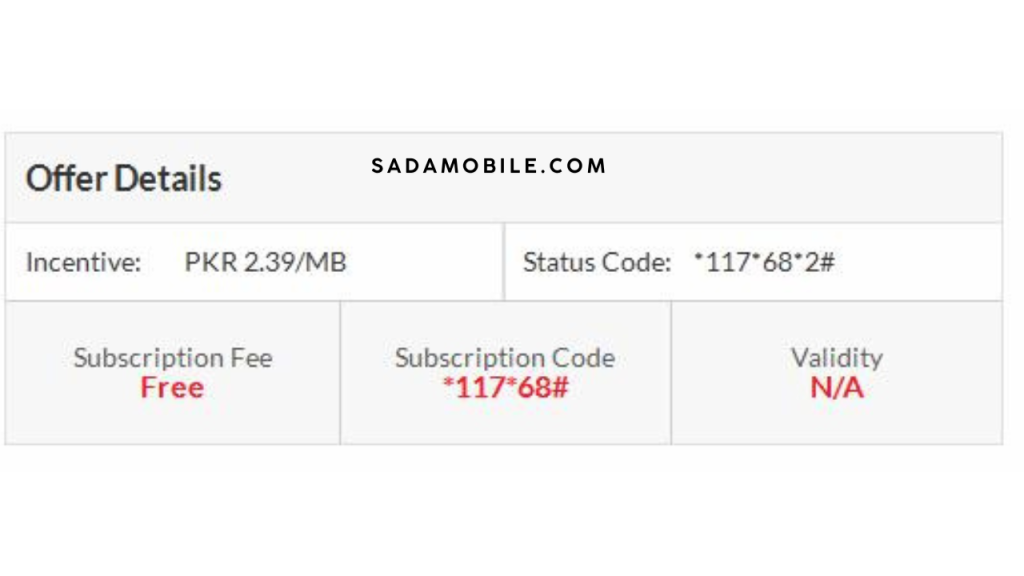
How to Check Jazz Daily Package Status
Daily packages are popular because they’re cheap and offer good value. Here’s how to check Jazz packages specifically for daily bundles.
Daily Package Check Codes
| Package Name | Subscription Code | Status Check Code | Price |
|---|---|---|---|
| Daily Light | *100# | *117111# | Rs. 15 |
| Daily Champ | *101# | *117112# | Rs. 18 |
| Daily Heavy | *102# | *117113# | Rs. 20 |
| Daily Super | *103# | *117114# | Rs. 25 |
| Daily Max | *104# | *117115# | Rs. 30 |
To check your daily internet package status, simply dial the corresponding status code.
When Daily Packages Expire
All daily packages on Jazz expire exactly 24 hours after activation. Make sure to check your status before the expiry date to avoid service interruption.
How to Check Jazz Weekly Package Status
Weekly packages give you more value and last 7 days. Here’s the complete guide to check Jazz weekly package status.
Weekly Package Details and Codes
| Package Name | Subscription Code | Status Check Code | Validity |
|---|---|---|---|
| Weekly Champ | *301# | *117211# | 7 Days |
| Weekly Heavy | *302# | *117212# | 7 Days |
| Weekly Super | *303# | *117213# | 7 Days |
| Weekly Max | *304# | *117214# | 7 Days |
| Weekly Plus | *305# | *117215# | 7 Days |
These codes help you find out exactly how much data and minutes remain in your weekly bundle.
How to Check Jazz Monthly Package Status
Monthly packages are the most economical option for heavy users. Here’s everything about Jazz monthly package status.
Monthly Package Check Codes Table
| Package Name | Subscription Code | Status Check Code | Data | Minutes |
|---|---|---|---|---|
| Monthly Light | *501# | *117301# | 10 GB | 50 Min |
| Monthly Champ | *502# | *117302# | 20 GB | 100 Min |
| Monthly Heavy | *503# | *117303# | 40 GB | 200 Min |
| Monthly Super | *504# | *117304# | 75 GB | 300 Min |
| Monthly Max | *505# | *117305# | 100 GB | 500 Min |
Use these codes to check remaining MBs on Jazz prepaid monthly subscriptions.
Complete Comparison: All Methods to Check Jazz Package Status
Here’s a helpful table comparing all methods to check your Jazz package status:
| Method | Speed | Detail Level | Requires Internet | Best For |
|---|---|---|---|---|
| USSD Code (*443#) | Very Fast | Medium | No | Quick checks |
| Jazz World App | Fast | Very High | Yes | Detailed analysis |
| SMS to 3838 | Medium | Medium | No | Zero balance |
| Call 111 | Slow | High | No | Complex issues |
| Website | Medium | High | Yes | Desktop users |
Choose the method that works best for your situation.
How to Check Jazz Package Status for Different Package Types
Different package types require different steps to check their status. Let me break this down for you.
Internet Data Packages
To check your internet data package:
- Dial *117*1# for instant data status
- Shows total MBs, used MBs, and remaining data
- Displays expiry date clearly
- Works for all internet data bundles
Call Packages
To check call package status:
- Dial *443*1# for minute details
- View remaining on-net minutes
- See off-net minutes separately
- Check international call minutes
Social Media Packages
To check social media bundles:
- Dial *117*4# for social status
- Shows WhatsApp data remaining
- Displays Facebook, Instagram usage
- Check YouTube package separately
SMS Packages
To check SMS package:
- Dial *443*2# for SMS count
- View on-net SMS balance
- Check off-net SMS remaining
- See total SMS validity
Troubleshooting: Common Issues When Checking Jazz Package Status
Sometimes things don’t work as expected. Here are solutions to common problems:
Issue 1: USSD Code Not Working
Solution:
- Make sure you’re using a Jazz SIM card
- Check if your SIM is active
- Try removing spaces in the code
- Restart your phone and try again
- Ensure you have network coverage
Issue 2: Jazz World App Not Loading
Solution:
- Check your internet connection
- Clear the app cache
- Update to the latest version
- Uninstall and reinstall the app
- Make sure you’re using Jazz data or WiFi
Issue 3: SMS Not Receiving Response
Solution:
- Wait up to 2 minutes (network delay)
- Check if SMS center number is correct
- Make sure message is sent to 3838
- Type “INFO” in capital letters
- Try again after few minutes
Issue 4: Helpline 111 Not Connecting
Solution:
- Dial 111 from Jazz number only
- Check if you have network signals
- Try calling during off-peak hours
- Wait patiently for connection
- Use alternate method if urgent
Tips to Save Money Using Package Status Checks
Now that you know how to check Jazz package status, here are smart tips to save money:
Tip 1: Check Before Subscribing
Always check your currently active package before subscribing to a new one. You might already have what you need.
Tip 2: Monitor Usage Daily
Use the Jazz World App to track your daily usage. This helps you understand your actual needs and avoid overbuying.
Tip 3: Unsubscribe Before Renewal
Check your package validity regularly. If you don’t need the package next month, unsubscribe 1 day before the expiry date.
Tip 4: Compare Package Values
Before subscribing, check Jazz packages of different durations. Sometimes 3 weekly packages cost less than 1 monthly package.
Tip 5: Use Free Check Methods
Always use free methods like *443# instead of calling helpline. This saves your balance for actual usage.
Understanding Your Package Status Information
When you check Jazz package status, you see various terms. Let me explain what each means:
Package Name
This tells you which specific bundle you’re using. Examples: Daily Max, Monthly Super, Weekly Champ.
Remaining Incentives
This shows what benefits are left in your package – remaining data, call minutes, SMS balance.
Expiry Date
This is when your package ends. After this date, you’ll need to resubscribe or your package validity expires.
Subscription Cost
The amount deducted from your balance when you activated the package.
Auto-Renewal Status
Shows if the package will automatically renew. You can disable this if you want.
Usage Statistics
How much data, minutes, or SMS you’ve already used from the package.
How Jazz Package Status Checking Works Differently for Prepaid vs Postpaid
Understanding the difference helps you check Jazz prepaid balance and Jazz postpaid packages correctly.
For Prepaid Users
When you check Jazz package status as a prepaid customer:
- You see deductions from main balance
- Packages expire on fixed dates
- No monthly bill to pay
- Can subscribe/unsubscribe anytime
- Balance shown instantly
For Postpaid Users
For postpaid customers checking packages:
- Package costs added to monthly bill
- Usually monthly subscriptions
- Can check bill amount online
- More flexible limits
- Payment due at month-end
Use the Jazz World App for best results with Jazz postpaid packages.

Advanced: Checking Jazz Package Status for Business Users
If you’re using Jazz for business, here are additional ways to check your packages:
Jazz Business Portal
Business customers can:
- Login to business.jazz.com.pk
- View all employee SIM packages
- Check usage across multiple numbers
- Download detailed reports
- Manage bulk subscriptions
Corporate Package Monitoring
For corporate packages:
- Special codes for business bundles
- Dedicated account manager
- Customized usage reports
- Bulk SMS and data monitoring
- Priority customer support via helpline
Future Updates: What’s Coming for Jazz Package Checking
Jazz continuously improves its services. Here’s what’s expected:
Upcoming Features
- Voice assistant to check package status
- AI-powered usage predictions
- Automatic package recommendations
- Real-time usage notifications
- Integrated bill payment options
- Cross-platform syncing
Stay updated by regularly checking the Jazz World App for new features.
Frequently Asked Questions
1. How can I check my Jazz package status for free?
You can check Jazz package status for free using multiple methods. The easiest is dialing *443# from your Jazz number. This shows all your active packages on Jazz, remaining MBs, call minutes, and SMS balance without any charges. You can also send SMS “INFO” to 3838 or download the free Jazz World App.
2. What is my package on Jazz right now?
To know what is my package currently active on your Jazz SIM, dial *443# immediately. You’ll receive a message showing your currently active package name, validity period, and remaining incentives. Alternatively, open Jazz World App and check “My Account” section for detailed package information.
3. How do I know my Jazz package expiry date?
To find out your package validity and expiry date, dial *443# or check the Jazz World App. The response message clearly shows when each package expires. You can also dial package-specific codes like *117*30# for monthly packages to see exact expiry details.
4. Can I check Jazz package status without internet?
Yes! You can easily check Jazz packages without internet. Use USSD codes like *443# which work on all phones without data connection. You can also send SMS “INFO” to 3838 or call Jazz helpline 111. These methods don’t require internet or mobile data.
5. How to check remaining MBs on Jazz prepaid?
To check remaining MBs on Jazz prepaid, dial *117*1# from your Jazz number. This shows your total data bundles, used data, and remaining data in MBs. For more detailed breakdown, use the Jazz World App which shows daily usage graphs and MB consumption.
6. Why does my Jazz package check code not work?
If your Jazz package check code doesn’t work, try these solutions: ensure you’re using a Jazz SIM, remove any spaces from the code, restart your phone, check network signals, or try an alternate method like SMS or the Jazz World App. Sometimes network delays cause temporary issues.
7. How to check Jazz monthly package status?
To check Jazz monthly package status, dial *11730# for all monthly packages or use specific codes like *11730*1# for individual packages. You’ll see remaining data, call minutes, SMS balance, and expiry date. The Jazz World App provides even more detailed monthly usage statistics.
8. What does remaining incentives mean on Jazz?
Remaining incentives on Jazz means the benefits left in your active package. This includes unused data bundles (MBs), available call minutes, and SMS balance. When you check your Jazz package status, these incentives show how much value remains before your package expires.
Conclusion: Master Your Jazz Package Status Checking
Now you know everything about how to check Jazz package status in 2025. You learned 5 different methods to verify your packages, from quick USSD codes to detailed Jazz World App analysis.
Remember, regularly checking your Jazz SIM status helps you:
- Save money on unused packages
- Avoid unexpected service interruptions
- Track your remaining data effectively
- Manage package validity better
- Make smarter subscription decisions
The fastest method is still dialing *443# – it takes just 3 seconds to check your Jazz package status completely free.
Pro Tip: Download the Jazz World App today for the most comprehensive way to monitor your usage. Set up daily reminders to check Jazz packages and never run out of data or balance unexpectedly again.
Have questions? Call Jazz helpline 111 anytime for personalized assistance with your package status. Share this guide with friends who use Jazz so they can also save money and stay connected.